You’ve finally decided to leave the chaos of X (formerly Twitter) behind. You’ve heard about the “Fediverse,” you’re ready to reclaim your digital privacy, and you’ve downloaded the app. But then, you hit a wall.
“Select a server.”
Suddenly, you’re staring at a list of hundreds of weird names like mastodon. social, hachyderm.io, and universeodon.com. It feels less like signing up for social media and more like trying to order a coffee in a foreign language. Panic sets in. What if you pick the wrong one? Will you be isolated? Is it safer to just join the biggest one?
Here is the good news: You cannot make a fatal mistake.
In 2026, Mastodon has become smoother, faster, and friendlier than ever before. This guide will walk you through exactly how to choose a Mastodon server without the headache, ensuring you find a home that fits your vibe, your interests, and your values.
The “Email Analogy”: Understanding Servers Once and for All
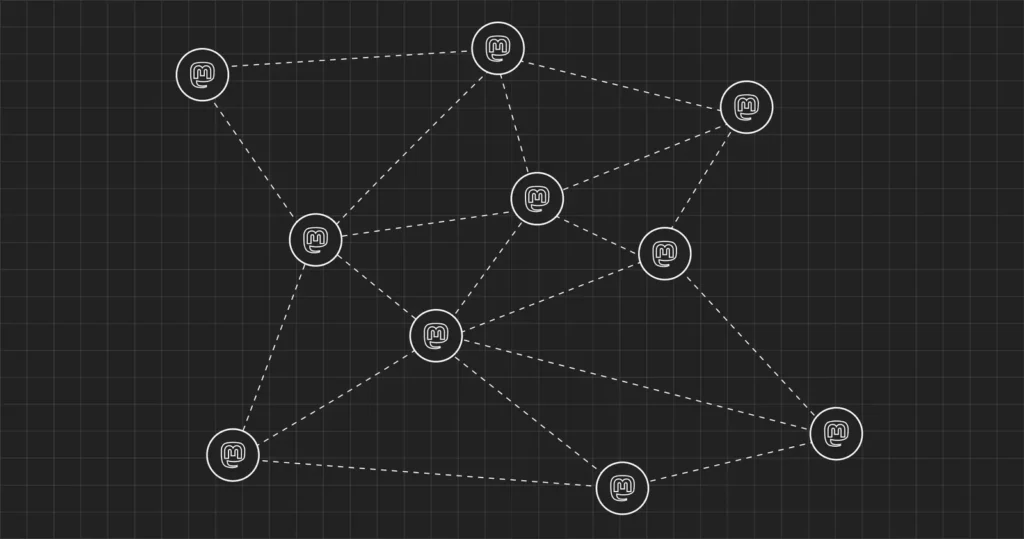
Before we pick a server (also called an “instance”), let’s kill the confusion. The #1 reason people give up on Mastodon is that they think it works like Instagram or TikTok, where everyone is in one big building.
Mastodon works like Email.
- If you have a Gmail account, you can still email your friend who uses Outlook.
- You are on different servers, but you can still talk, share files, and communicate perfectly.
Mastodon is the same. You pick a “home base” (your server), but you can follow, reply to, and like posts from anyone on any other server. The only difference is who runs your “home base” and what the local rules are.
The 3-Step Framework to Choose Your Perfect Home
Don’t overthink it. Use this simple three-step filter to narrow down your options from thousands to just one or two.
1. Identify Your “Primary Mode”
How do you usually use social media?
- The Generalist: You post about everything—news, cat photos, politics, and breakfast. You want a big, busy feed.
- The Specialist: You primarily want to talk about a specific hobby (e.g., coding, painting, gaming).
- The Local: You care most about what’s happening in your city or country.
If you are a Specialist, joining a niche server is better. Your “Local Timeline” (a feed of just people on your server) will be full of relevant discussions rather than random noise.
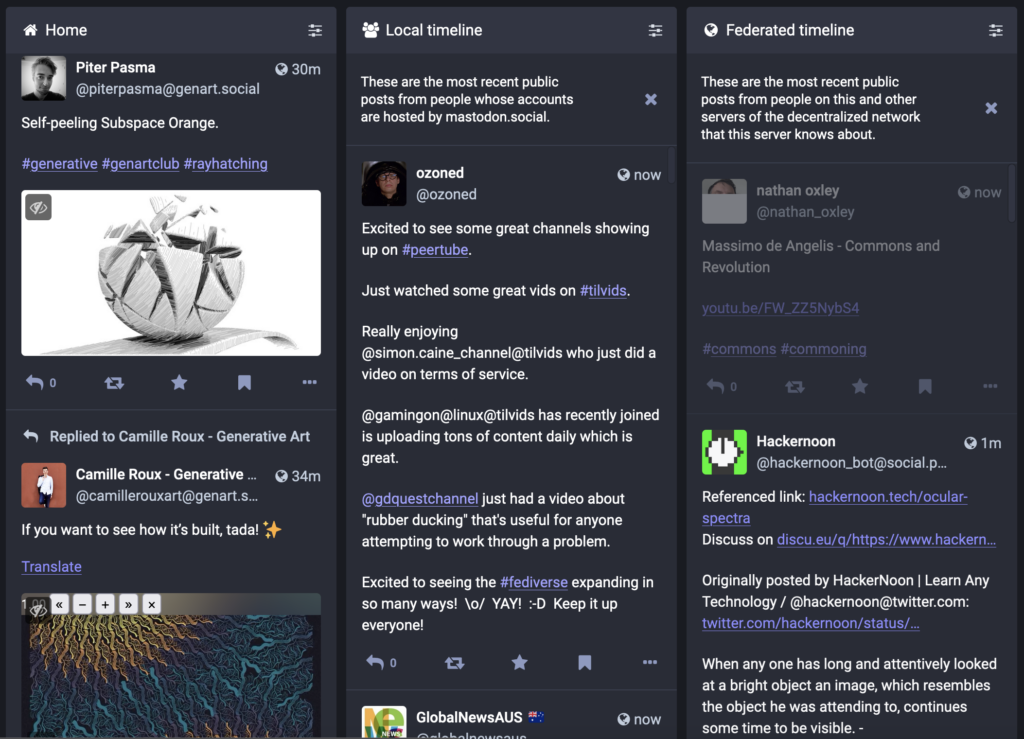
2. Check the “Local Timeline” Vibe
Before you sign up, look at the server’s public page. Most servers have a “See what’s happening” button. Click it.
- Are people arguing about politics?
- Are they sharing technical diagrams?
- Is it mostly art and photography?
This “Local Timeline” is the bonus feed you get for joining that specific server. Make sure it’s a room you actually want to hang out in.
3. Read the Moderation Rules (Crucial!)
This is the most important step in 2026. Because there is no central CEO of Mastodon, each server owner makes their own rules.
- Strict Moderation: Some servers, like beehaw.org, have very strict rules against “toxicity” and arguments. They might even block other servers that they deem unsafe.
- Free Speech/Lax Moderation: Other servers allow almost anything.
- Language: Ensure the server’s primary language matches yours.
Pro Tip: Look for the “Defederation” list in the server’s About section. If a server blocks (defederates) hundreds of other servers, you might find yourself in a “walled garden” with limited access to the outside world.
Top Mastodon Server Recommendations for 2026
If you just want a quick answer, here are the safe bets for this year. These are established, stable, and well-moderated.
For the “I Just Want It to Work” User (General)
- mastodon.social: The original “mothership” run by Mastodon’s founder. It’s huge, fast, and feels the most like old Twitter. The downside? It’s so big that the local timeline moves too fast to read.
- mas.to: A fast, general-purpose server that is very popular and welcoming to newcomers.
- universeodon.com: Great for a friendly, general audience. Very active and well-moderated.
For Techies & Developers
- hachyderm.io: The gold standard for tech workers. Run by industry veterans, it’s the place to be if you talk about code, infrastructure, or tech ethics.
- fosstodon.org: Focused specifically on Free and Open Source Software.
For Creatives (Writers, Artists, Journalists)
- mastodon.art: A strict, high-quality haven for visual artists. (Note: They have strict rules against AI-generated art).
- journa.host: A verified home for professional journalists.
For the Regional Communities
- social.nyc: For New Yorkers.
- mastodon.de: A massive German-speaking community.
- mastodon.ie: The go-to spot for Ireland.
“Fear of Commitment”: Can I Switch Servers Later?
Yes, and it is easier than ever.
This is the safety net that should let you relax. If you pick a server and realize two weeks later that the moderation is too strict, or the people are too boring, you can move.
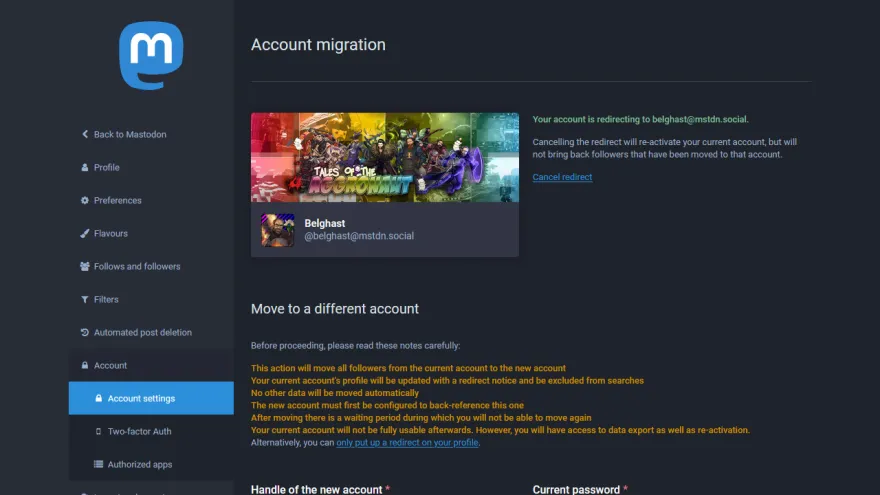
Mastodon has a built-in “Move Account” feature.
- You create an account on the new server.
- You tell your old server to redirect to the new one.
- Your followers automatically move with you.
You don’t lose your audience. The only things that don’t transfer automatically are your old posts (though they stay readable on the old profile) and your DMs. So, the pressure is low. Pick a server that looks “good enough” for now. You are not signing a 30-year mortgage.
Why “Server Size” Matters (and Why Bigger Isn’t Always Better)
You might be tempted to just join the server with the most users (mastodon.social). While that’s fine, there is a hidden benefit to smaller servers.
On a massive server, your posts are just a drop in the ocean. On a smaller, mid-sized server (e.g., 5,000–20,000 users), the community is tighter. People are more likely to see your posts on the Local Timeline. It’s easier to make friends and get engagement on a mid-sized server than on a massive one.
My recommendation: Aim for a “Goldilocks” server—not so small that it might shut down tomorrow, but not so big that you’re invisible. Look for servers with 10,000+ registered users and active moderation teams.
FAQ: Common Questions New Users Ask in 2026
Q: Does it cost money to join a Mastodon server? A: Generally, no. Most servers are free, run by volunteers, and supported by donations. However, some reliable servers (like hachyderm.io or mastodon.social) encourage users to chip in a few dollars via Patreon to cover hosting costs, but it’s rarely mandatory.
Q: Can the server admin read my Direct Messages (DMs)?A: Yes, potentially. Unlike WhatsApp or Signal, Mastodon DMs are not end-to-end encrypted. They are more like “direct tweets” visible only to you and the recipient. Theoretically, a server admin could access them in the database. Never send sensitive info (passwords, credit cards, confidential sources) via Mastodon DMs.
Q: What if my server shuts down? A: This is a valid risk. If a server runs out of money or the admin gets bored, it can close. However, Mastodon rules require admins to give 3 months’ notice before shutting down, giving you plenty of time to export your data and move your followers to a new home. This is why we recommend joining established servers with a team of admins, not just one person in a basement.
Q: Can I have accounts on multiple servers?A: Absolutely. Many people have a “professional” account on a tech server (like hachyderm.io) and a “personal” account on a general server (like mastodon.social). You can easily switch between them in apps like Ivory, Mammoth, or Phanpy.
Q: Why do some servers block other servers? A: This is called “Defederation.” If Server A thinks Server B is full of hate speech, spam, or trolls, Server A will block them to protect its own users. This keeps your timeline clean, but means you might not see posts from the “bad” server.
Conclusion
Choosing a Mastodon server feels like a big decision, but it’s really just about finding your starting line. The beauty of the Fediverse is that no matter where you start, you are connected to the whole world.
Your next step: Don’t spend another hour researching. Go to joinmastodon.org/servers, filter by your primary interest (or just pick “General”), and sign up. If the vibe isn’t right, pack your bags and move next week. The most important part is just showing up and saying “Hello.”
See you in the Fediverse!