I’ve been glued to OmniFocus for years now. Every morning, it’s the first app I open on my Mac or iPhone. It holds my entire life—work projects, personal errands, big goals, and random ideas. In 2026, with so many shiny new productivity apps popping up, I still reach for it daily. But is it perfect? Absolutely not.
This OmniFocus review 2026 is my brutally honest take after relying on it day in and day out. No sugarcoating. I’ll walk you through what makes it incredible, where it falls short, the latest updates, pricing realities, and whether it’s worth your time (and money) this year. If you’re deep into the Getting Things Done (GTD) method or need a serious task manager in the Apple world, keep reading.
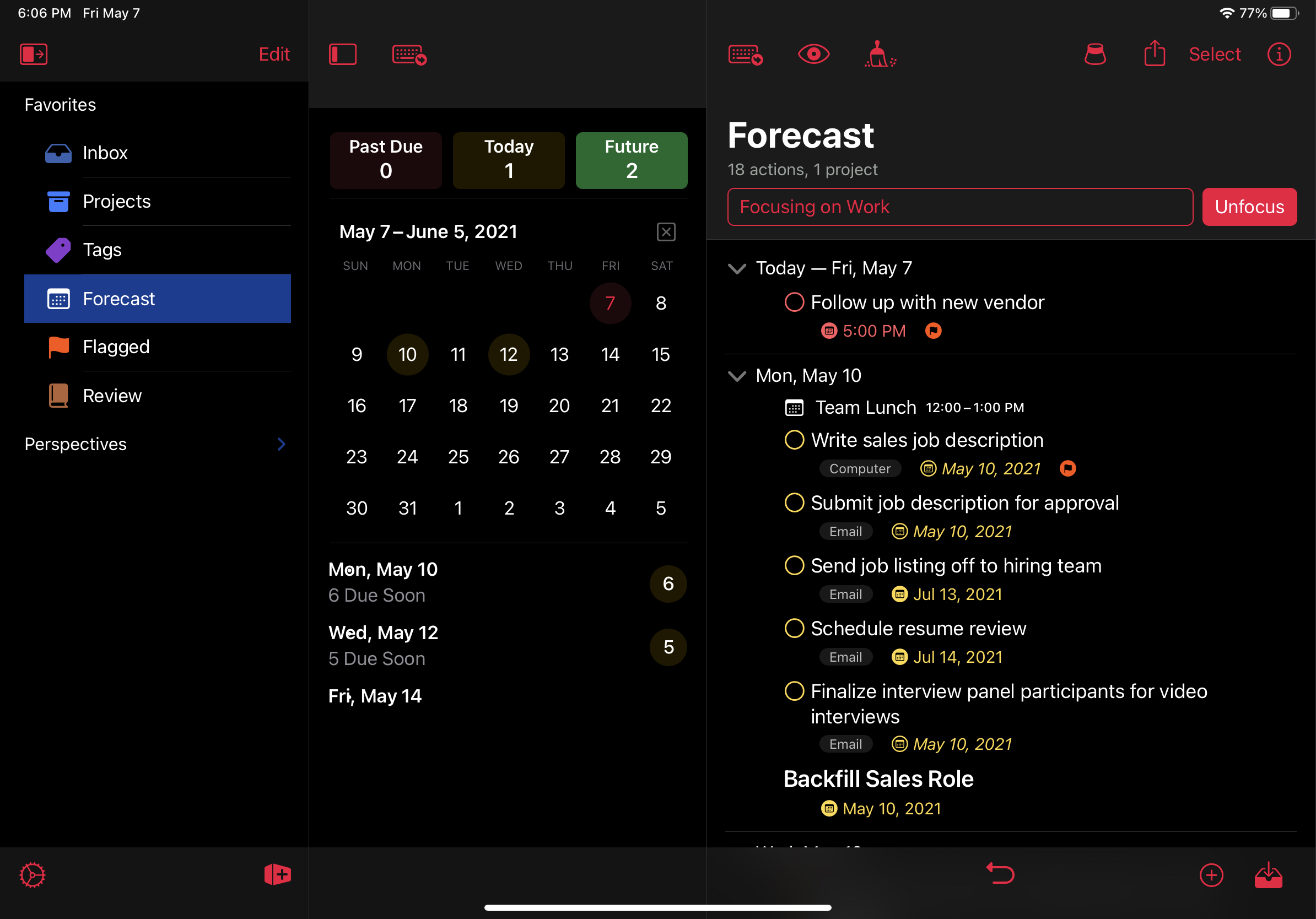
OmniFocus 4 First Look & Invitation to Help Test – The Omni Group
What Is OmniFocus, Anyway?
OmniFocus is a task management app designed specifically for Apple devices, including Mac, iPhone, iPad, Apple Watch, and now Apple Vision Pro. There’s also a web version for cross-platform access. It’s designed around David Allen’s Getting Things Done methodology, which is all about capturing everything in your head, organizing it clearly, and focusing on what matters right now.
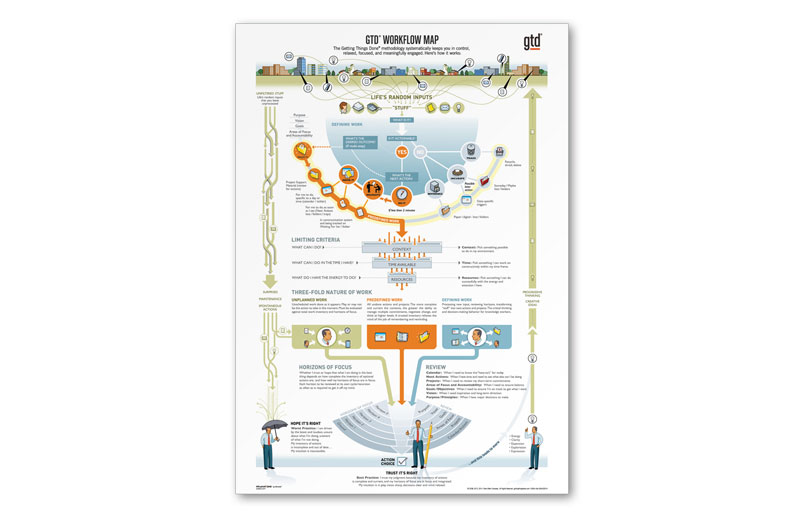
GTD Workflow Map – GTD Educational tools
Unlike simpler to-do apps, OmniFocus lets you create projects, contexts (now called tags), due dates, defer dates, custom views, and more. It’s not for casual list-makers. It’s for people with complex lives who need a system that can handle anything.
I’ve tried lighter apps, but I always come back. Why? Because when life gets chaotic, OmniFocus keeps me sane.
What’s New in OmniFocus 4 in 2026?
OmniFocus 4 has been the current version for a while, but The Omni Group keeps pushing updates. As of early 2026, we’re on versions like 4.8.x across platforms.
Some standout recent additions:
- Apple Intelligence Integration: In late 2025, they added ties to Apple’s AI foundation models through Omni Automation. This means smarter scripting and potential for AI-assisted task organization (though it’s still evolving).
- Planned Date Type: A new date field in version 4.7 that helps separate when you plan to do something versus when it’s due.
- Mutually Exclusive Tags: Great for workflows where tasks can only belong to one category (like energy levels: High, Medium, Low).
- Improved Repeating Tasks: Better controls for ending repeats after a certain number or date.
- Forecast Enhancements: Smarter mixing of calendar events and tasks.
- Vision Pro and Web Support: Full native app for Vision Pro, and the web version is solid for non-Apple days.
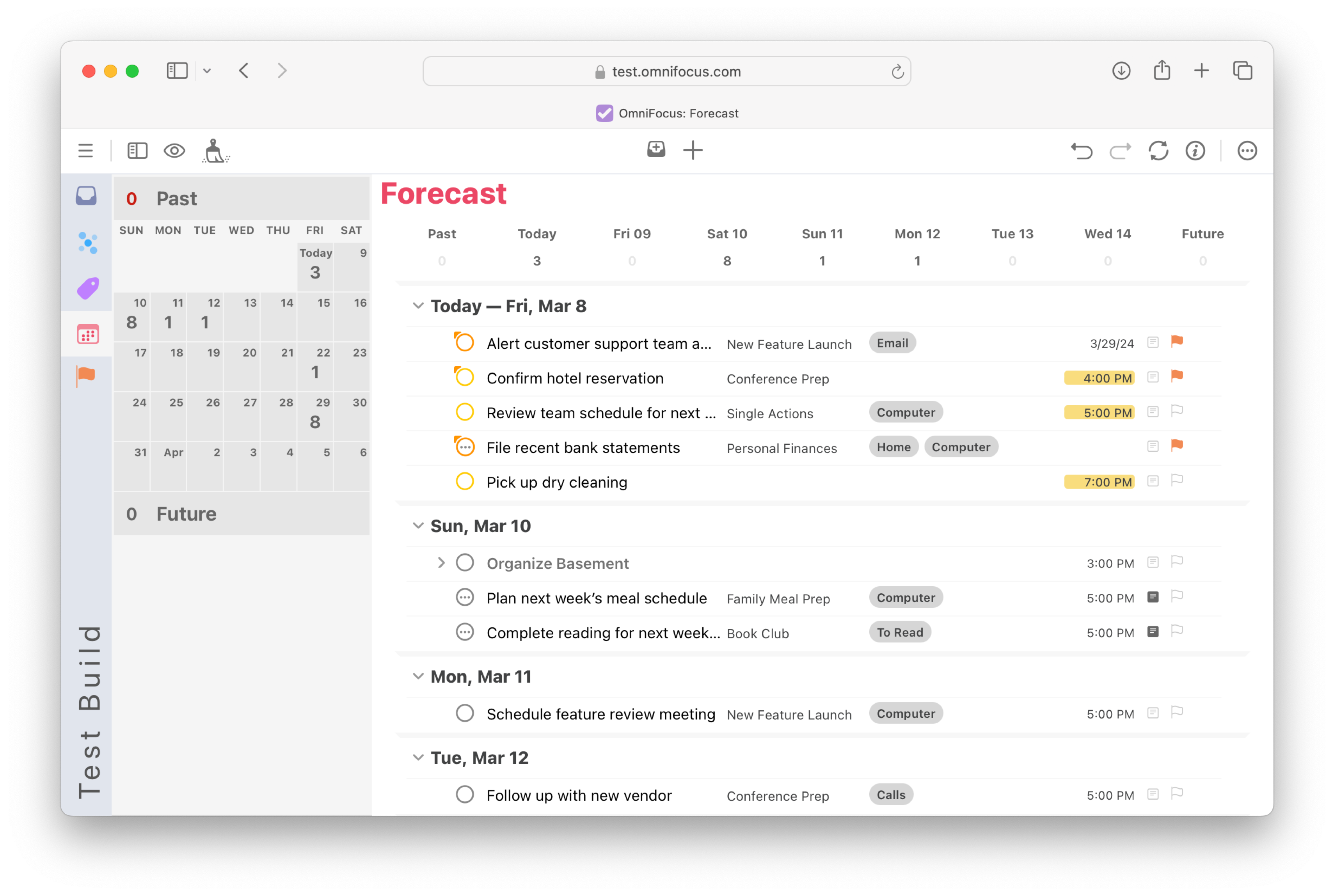
Taking OmniFocus 4 to New Dimensions – The Omni Group
These aren’t revolutionary, but they show the app is actively maintained. No signs of OmniFocus 5 yet, but the foundation feels modern.
My Daily Workflow: How I Actually Use OmniFocus
Let me paint a picture of a typical day.
Morning: I do a quick inbox sweep on my iPhone while drinking coffee. Anything that popped into my head overnight goes in—emails forwarded, voice captures via Siri, quick notes.
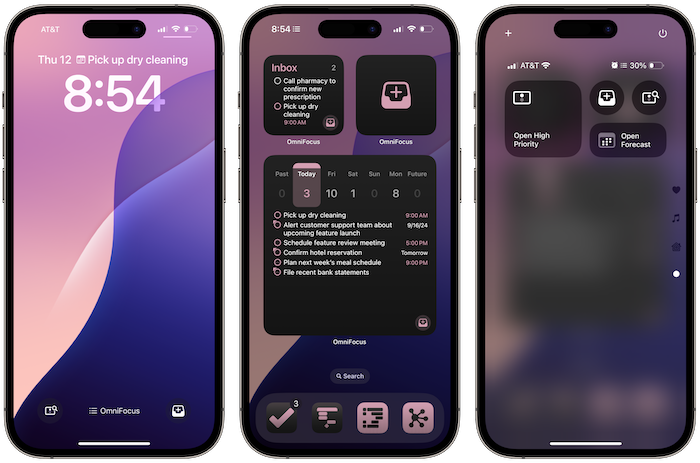
Ready for Apple’s 2024 Updates? Omni’s Apps Are! – The Omni Group
Then on my Mac, I process the inbox. Assign projects, tags (like @computer, @errands, @waiting-for), defer dates, and due dates.
My home screen has custom Perspectives (Pro feature):
- Today: Flagged tasks + due soon.
- Work Focus: Only my current client’s project.
- Weekly Review: All incomplete tasks grouped by project for reflection.
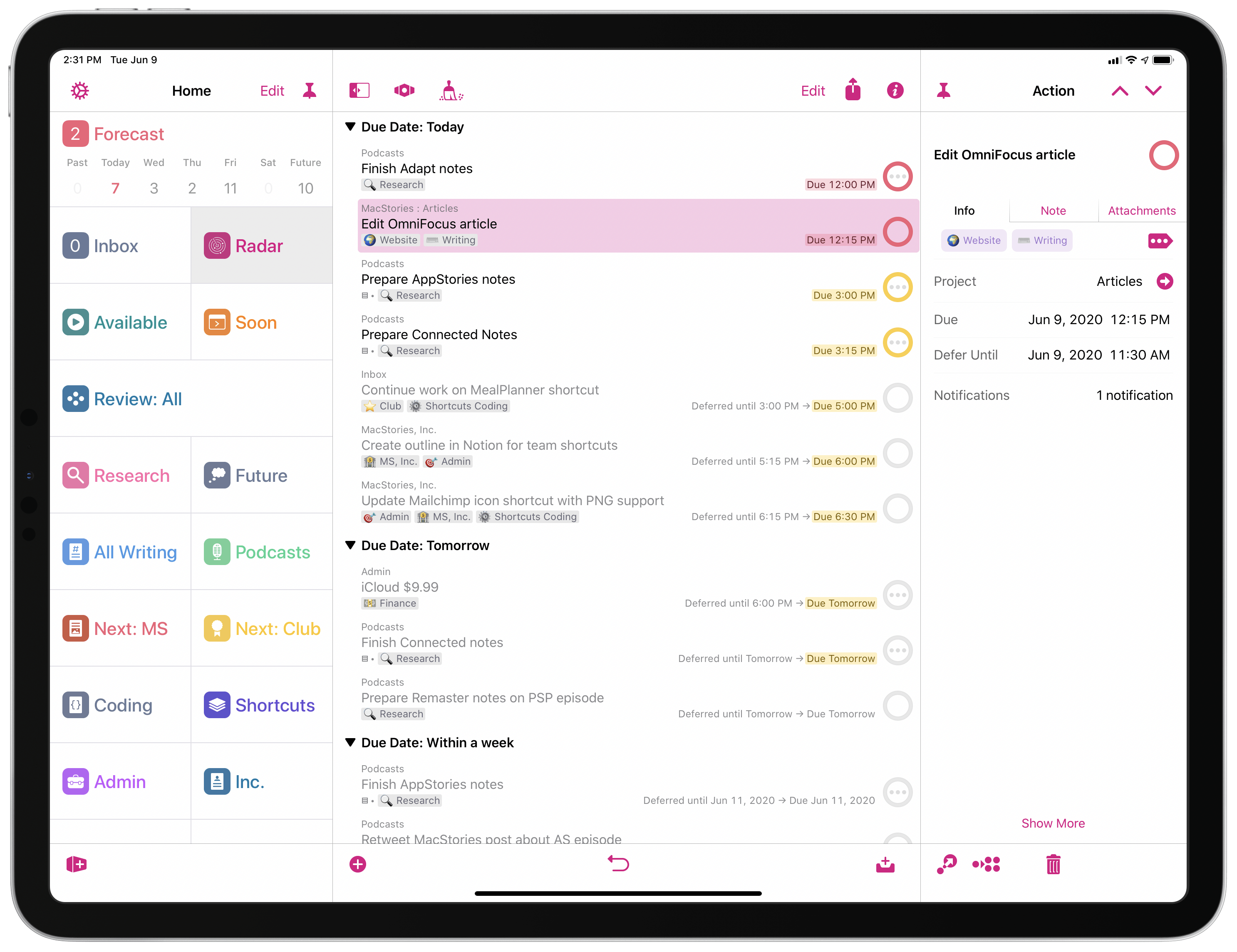
How I Use Custom Perspectives in OmniFocus – MacStories
Mid-day: Forecast view shows my calendar alongside tasks. Helps me avoid overcommitting.
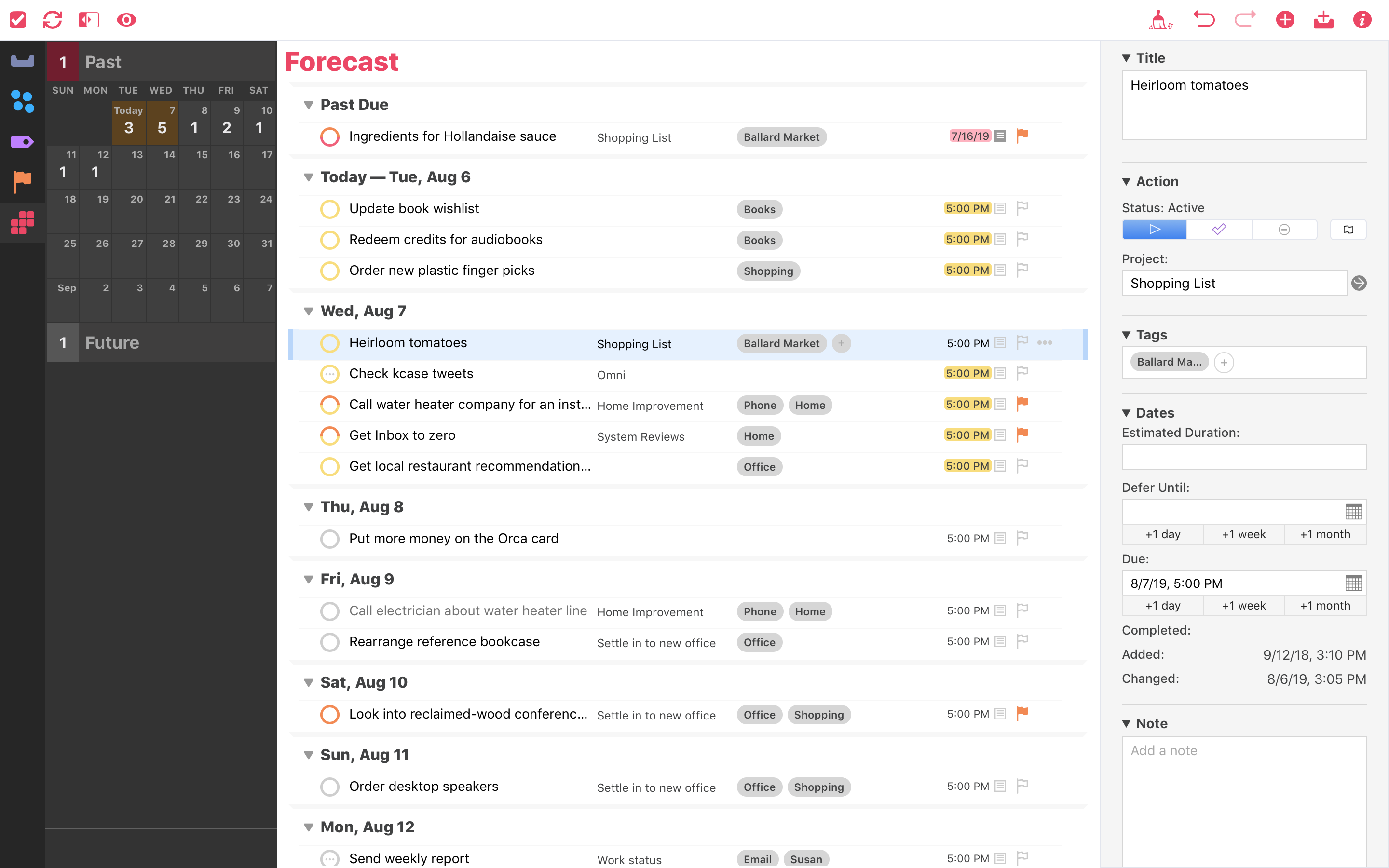
OmniFocus for the Web Adds Forecast View – The Omni Group
Evening: Quick review of what’s due tomorrow, flag priorities.
The automation is clutch, too. Shortcuts and scripts handle recurring stuff like weekly reviews or billing reminders.
It’s not flashy, but it’s reliable. Nothing slips through if I stay consistent.
The Pros: Why OmniFocus Still Wins for Me
Here’s what keeps me hooked in 2026:
- Insane Flexibility: Custom Perspectives let me create exactly the views I need. No other app matches this for tailored workflows.
- Rock-Solid GTD Implementation: Defer dates, contexts/tags, projects vs. single actions—it’s built for the method without forcing it.
- Seamless Apple Integration: Widgets, Siri capture, Focus modes, notifications that actually work. And now Vision Pro support feels futuristic.
- Reliable Sync: Omni’s own sync service is fast and private. No third-party drama.
- Power User Features: Automation via JavaScript/Shortcuts, attachment handling, and note-rich tasks.
- Long-Term Trust: The Omni Group has supported this app for over a decade. Data feels safe.
For complex projects—like managing freelance clients, home renovations, fitness plans—nothing organizes better.
The Cons: Where OmniFocus Frustrates Me
Time for the brutal part. It’s not all sunshine.
- Steep Learning Curve: New users often feel overwhelmed. I spent weeks setting it up properly. If you don’t commit to learning GTD basics, it’ll collect dust.
- Subscription Pricing Fatigue: More on this below, but the shift to subscription pricing rubs many wrong (including me sometimes).
- Apple-Centric: The web version helps, but it’s not as full-featured. No native Windows or Android app. If you switch ecosystems, you’re stuck.
- Interface Feels Dated: It’s functional, but compared to Things 3’s beauty or Todoist’s polish, OmniFocus looks a bit utilitarian.
- Overkill for Simple Needs: If you just need a basic to-do list, this is like using a tank to go grocery shopping.
- Occasional Bugs: Updates sometimes introduce quirks (though they’re quick to fix).
Honestly, there are days I envy friends with simpler apps. OmniFocus demands maintenance.
Pricing in 2026: Is It Worth the Cost?
OmniFocus uses a subscription model for new users:
- Full Subscription (Recommended): $99.99/year (or ~$9.99/month) gets you Pro features on Mac, iOS, and Web.
- Web Add-On: $49.99/year if you own legacy licenses.
There’s a 14-day free trial, and legacy one-time purchases still work (but no new Pro features).

How much is OmniFocus? (OmniFocus pricing)
Is it worth it? For power users—yes. The Pro upgrades (custom Perspectives, Focus, and advanced automation) are essential for serious use.
But compared to Things 3’s one-time ~$50 per platform or Todoist’s cheaper plans, it stings. I pay because the value outweighs the cost for my workflow, but I get why some bail.
OmniFocus vs. the Competition in 2026
Let’s compare quickly:
vs. Things 3: Things wins on beauty, simplicity, and one-time pricing. It’s joyful to use. But it lacks OmniFocus’s depth—no custom views like Perspectives, weaker defer dates. Many graduate from Things to OmniFocus when life gets complex.

Things 3 for iOS, Apple Watch, and Mac — Tools and Toys
vs. Todoist: Cross-platform king, cheaper, natural language input, great collaboration. But shallower GTD support—no true defer dates, perspectives feel bolted-on. Better for teams or non-Apple users.

Amir posted a screenshot of the “Today” calendar view on Twitter …
vs. TickTick or Reminders: Much cheaper/free, simpler. Great starters, but you’ll outgrow them.
In 2026 roundups, Things 3 often wins “best overall” for most people. OmniFocus takes “best for power users/GTD purists.”
Who Should (and Shouldn’t) Use OmniFocus?
Get it if:
- You’re committed to GTD.
- You live in Apple’s ecosystem.
- You manage multiple complex projects.
- You want maximum customization.
Skip it if:
- You want simple and pretty.
- You’re on Windows/Android primarily.
- Budget is tight.
- You’re new to productivity systems.
FAQ
Is OmniFocus still the best GTD app in 2026? For pure GTD depth in the Apple world, yes. Things 3 is closer and simpler, and Todoist is more versatile and cross-platform.
Has OmniFocus gotten easier for beginners? Somewhat—the setup assistant and templates help, but it’s still not “simple.”
What’s better: OmniFocus subscription or legacy license? Subscription for new features and web access. Legacy: if you already own it and don’t need Pro.
Does OmniFocus work on Windows or Android? Only via web (limited). No native apps.
Is the web version any good? Decent for checking tasks, but missing some Pro features and polish. Better than nothing.
Will there be an OmniFocus 5 soon? No announcements yet. Version 4 keeps getting meaningful updates.
Can I import from other apps? Yes—good support for Things, Todoist, etc.
Is it worth upgrading to Pro? Absolutely. Custom Perspectives alone transform the app.
Final Verdict: My Honest Take in 2026
After all these years of daily use, OmniFocus is still my trusted system. The power, reliability, and customization keep me productive when everything else feels chaotic. The 2025 updates, like Apple Intelligence ties and better tags, make it feel fresh.
But let’s be real—it’s expensive, complex, and Apple-locked. If that doesn’t fit your life, you’ll hate it. For me, though, it’s worth every penny and learning hour.
If you’re on the fence, start with the free trial. Set up a basic GTD system and see how it feels after a week.
What about you? Tried OmniFocus lately? Drop your thoughts below—I’d love to hear if it’s working for you in 2026.