Why Look for a Self-Hosted Google Drive Alternative?
Imagine this: you’ve been faithfully uploading family photos, work documents, and everything in between to Google Drive for years. One day, you read yet another headline about data breaches or privacy policy changes, and a nagging thought hits you—what if all that personal data isn’t as private as you thought? That’s the moment many people start searching for a self-hosted alternative to Google Drive.
In 2025, with data privacy laws tightening and cloud giants facing increasing scrutiny, more individuals and businesses are taking control of their files. A self-hosted file sync solution gives you full ownership: your data lives on your hardware (or a server you control), not on some distant corporate data center.
But why the sudden shift? Let’s break it down.
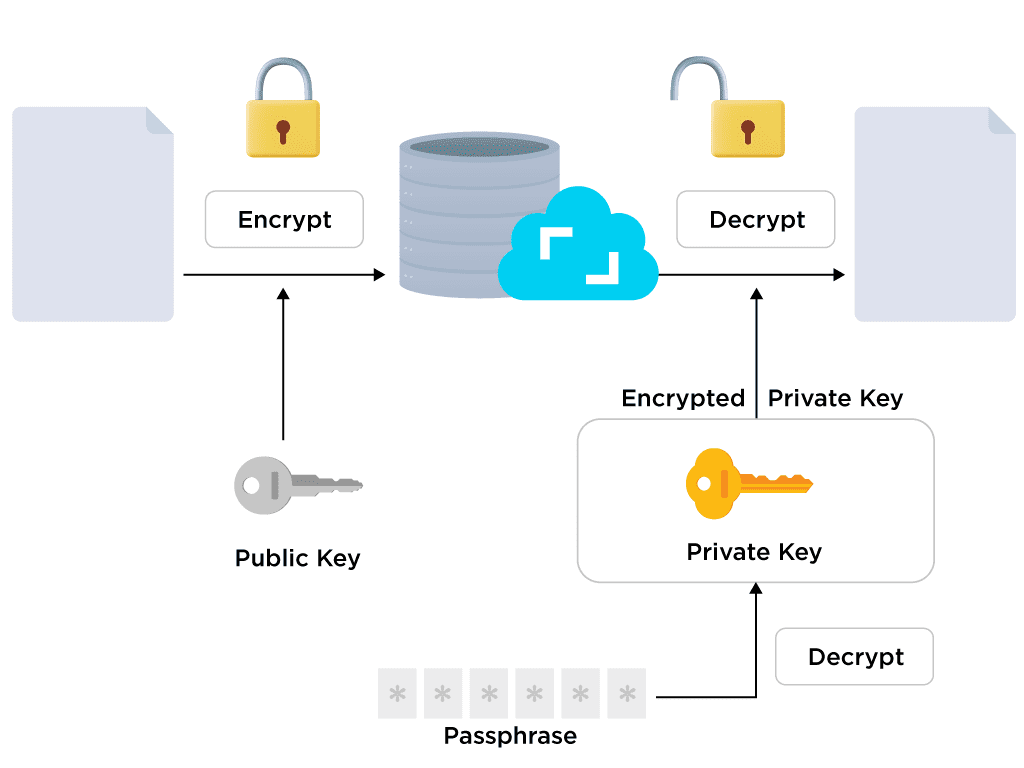
End-to-end encryption ensures your files stay private during sync – a key advantage over public clouds.
Privacy Concerns with Google Drive
Google scans your files for “policy violations” and uses metadata for advertising. Even if you trust them today, policies can change tomorrow. With a self-hosted cloud storage option, end-to-end encryption means only you hold the keys—literally.
Rising Costs and Subscription Fatigue
Google One pricing keeps creeping up. For heavy users, you’re looking at $100+ annually just for storage. Self-hosting? After the initial setup, your ongoing cost is essentially electricity and occasional hardware upgrades.
Limited Customization and Vendor Lock-In
Google Drive works great—until it doesn’t fit your workflow. Want custom sharing rules, branded interfaces, or deep integrations? You’re stuck with what Google offers.
What Vendor Lock-In Really Means for Your Data
Switching away later can be painful. Exporting terabytes of data takes weeks, and some file properties (like version history or comments) don’t transfer cleanly.
Key Features to Expect in a Self-Hosted File Sync Solution
The best self-hosted alternatives don’t just mimic Google Drive—they often surpass it in specific areas.
End-to-End Encryption
True privacy starts here. Client-side encryption ensures files are scrambled before they ever leave your device.
Cross-Platform Client Apps
Desktop clients for Windows, macOS, Linux, plus web access, are table stakes.
Mobile Access and Automatic Sync
You need reliable iOS and Android apps that handle camera uploads, offline access, and background sync without draining battery.
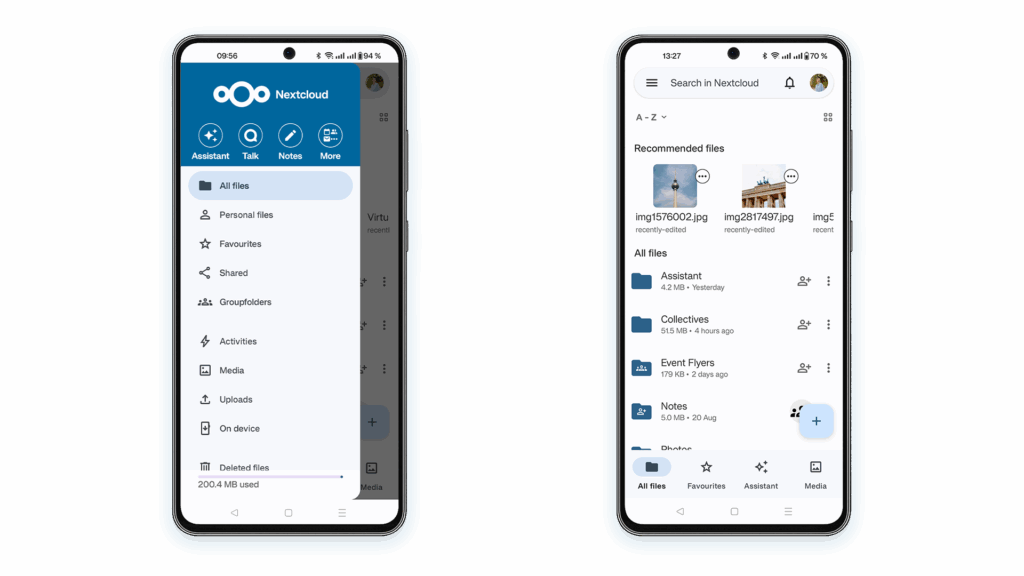
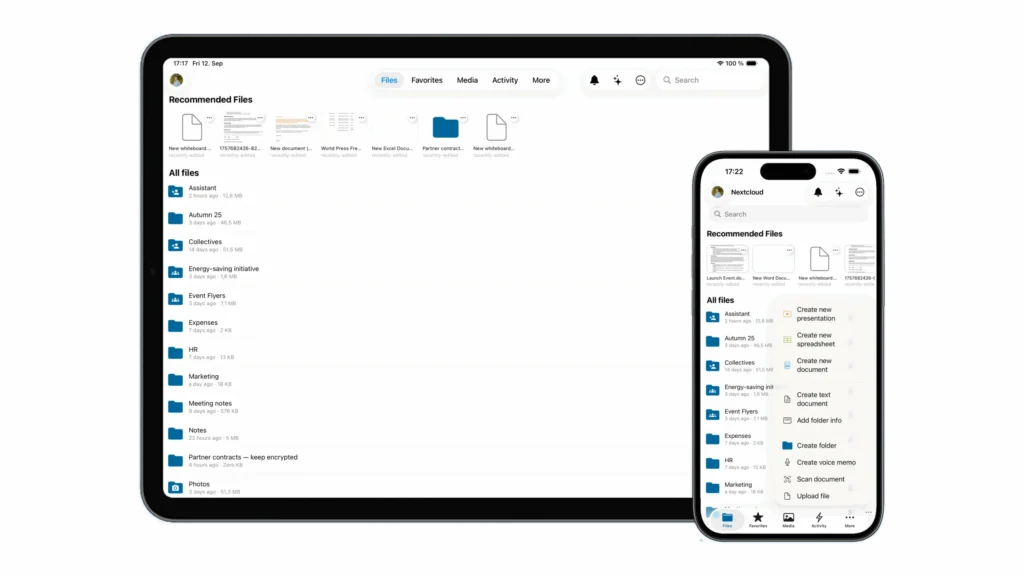
Nextcloud’s mobile apps provide seamless access and auto-upload features rivaling Google Drive.
iOS and Android App Performance Comparison
Nextcloud’s app, for instance, supports automatic photo backup similar to Google Photos, while Seafile excels at selective sync to save mobile data.
Top Self-Hosted Alternatives to Google Drive
Let’s meet the contenders.
Nextcloud: The Most Popular Choice
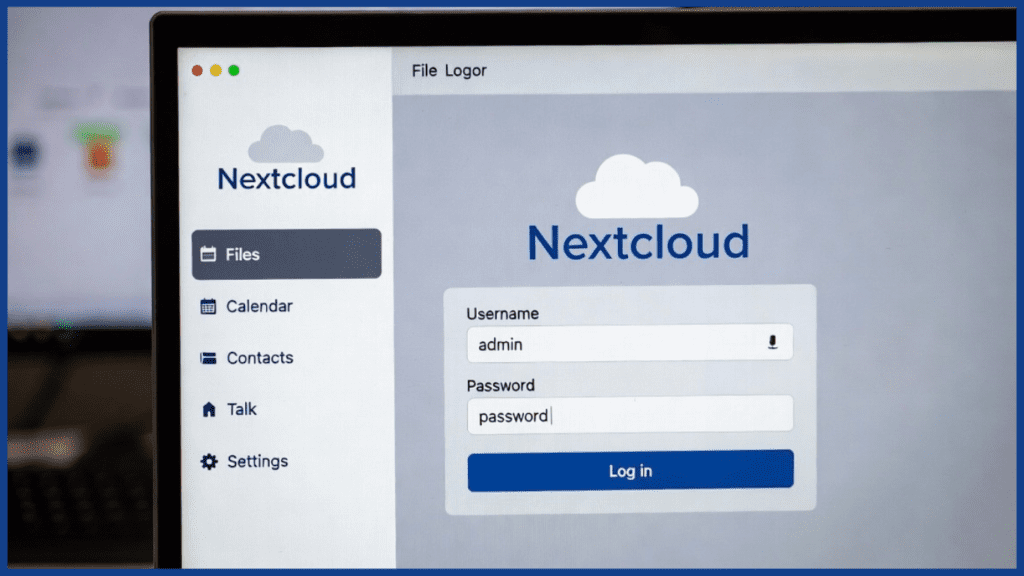
Nextcloud dominates the self-hosted space for good reason—it’s feature-rich, actively developed, and community-backed.
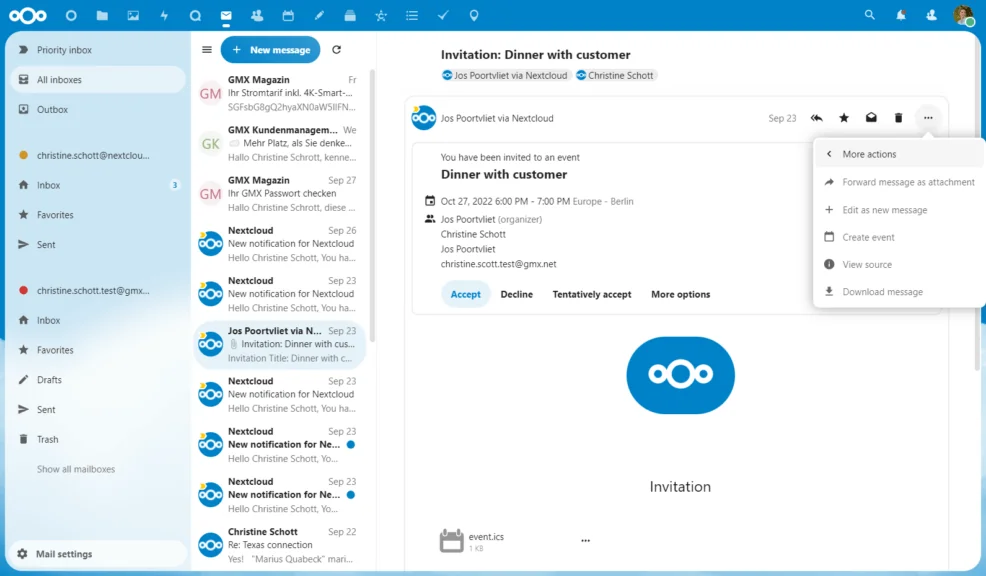
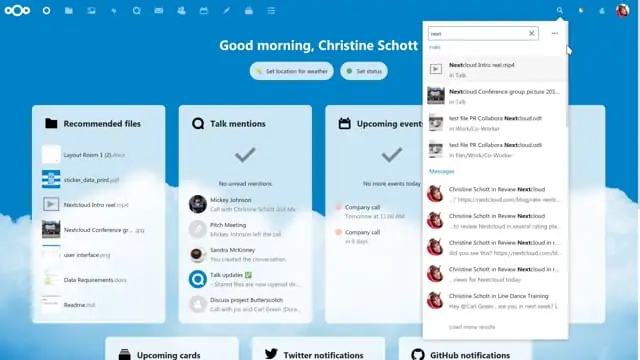
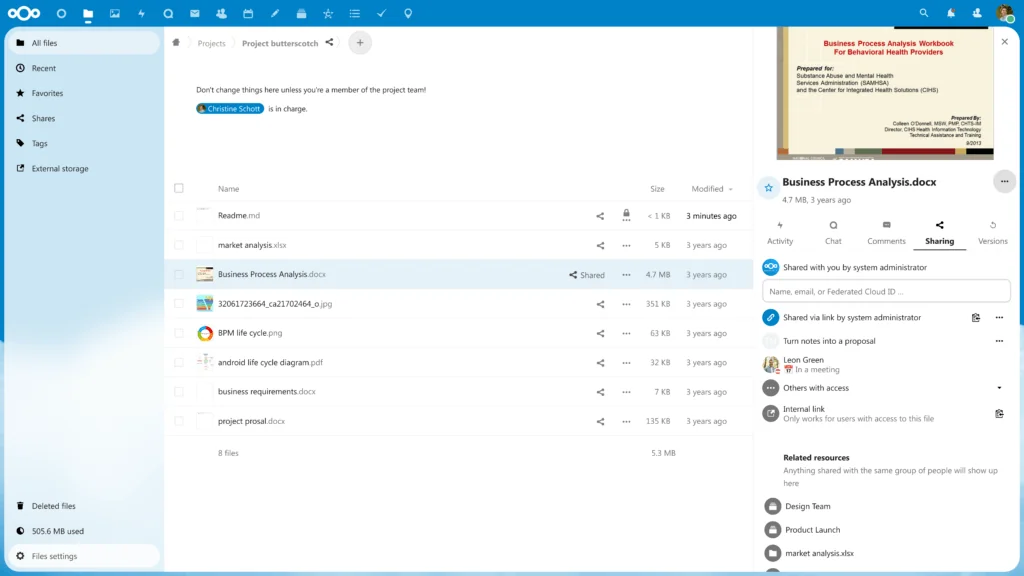
Nextcloud dashboard examples: Unified search, mail/calendar integration, and resource views.
Core Features of Nextcloud
- Full office suite (Collabora or OnlyOffice integration)
- Calendar, contacts, tasks
- Video calls via Nextcloud Talk
- Extensive app store (over 300 apps)
Nextcloud vs Google Drive Head-to-Head
Nextcloud offers everything Google Workspace does for productivity, but without the subscription and with complete data sovereignty.
Seafile: Speed and Efficiency Champion
If raw performance matters most, Seafile is unbeatable. It uses block-level sync and deduplication, making it lightning-fast even over slow connections.
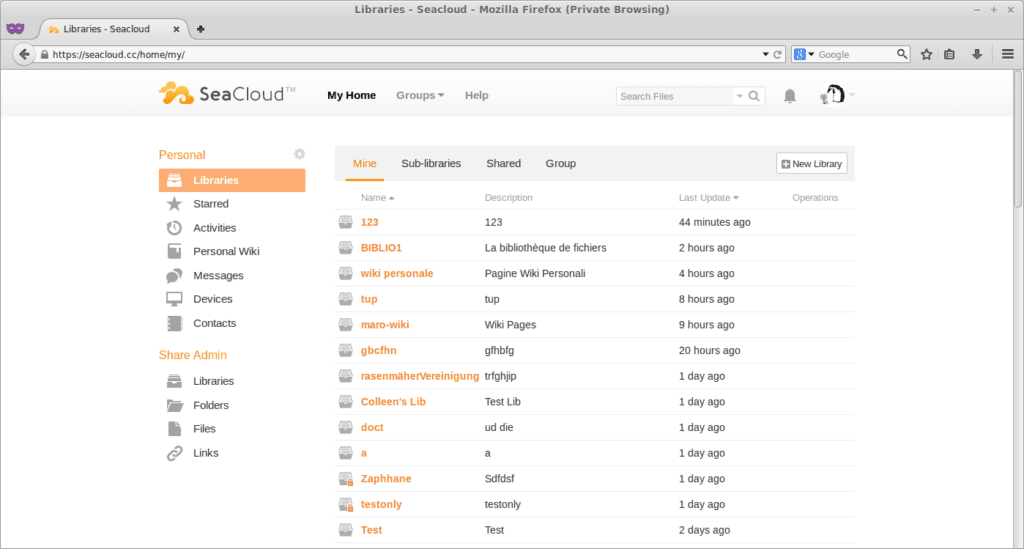
Seafile’s clean web interface focuses on fast file management.
ownCloud: The Original Pioneer
Nextcloud actually forked from ownCloud in 2016. ownCloud still appeals to enterprises needing commercial support.
Syncthing: Peer-to-Peer Simplicity
No server required! Syncthing syncs directly between devices. Perfect for privacy purists who don’t want a central server at all.
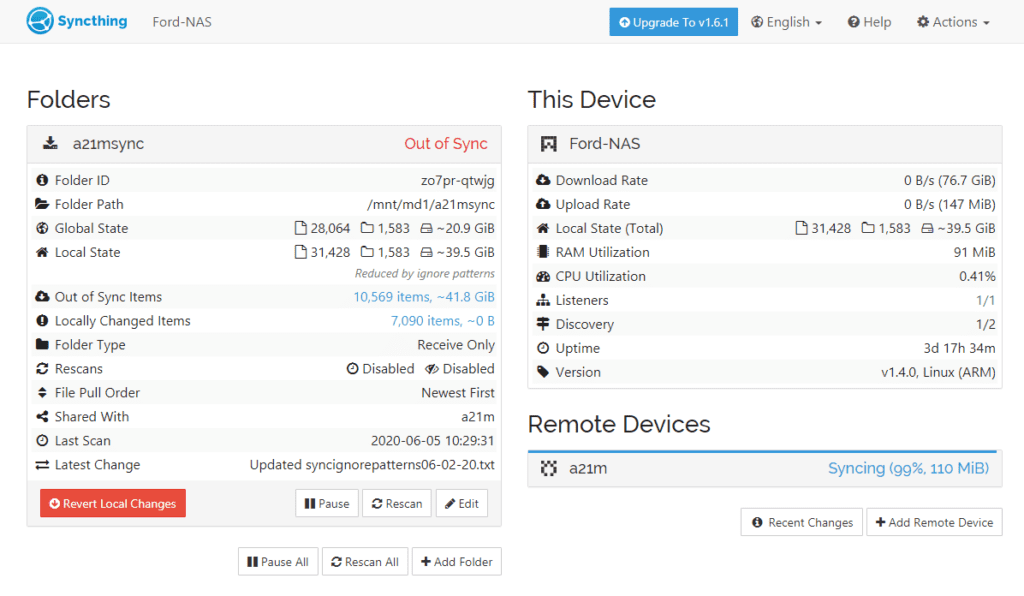
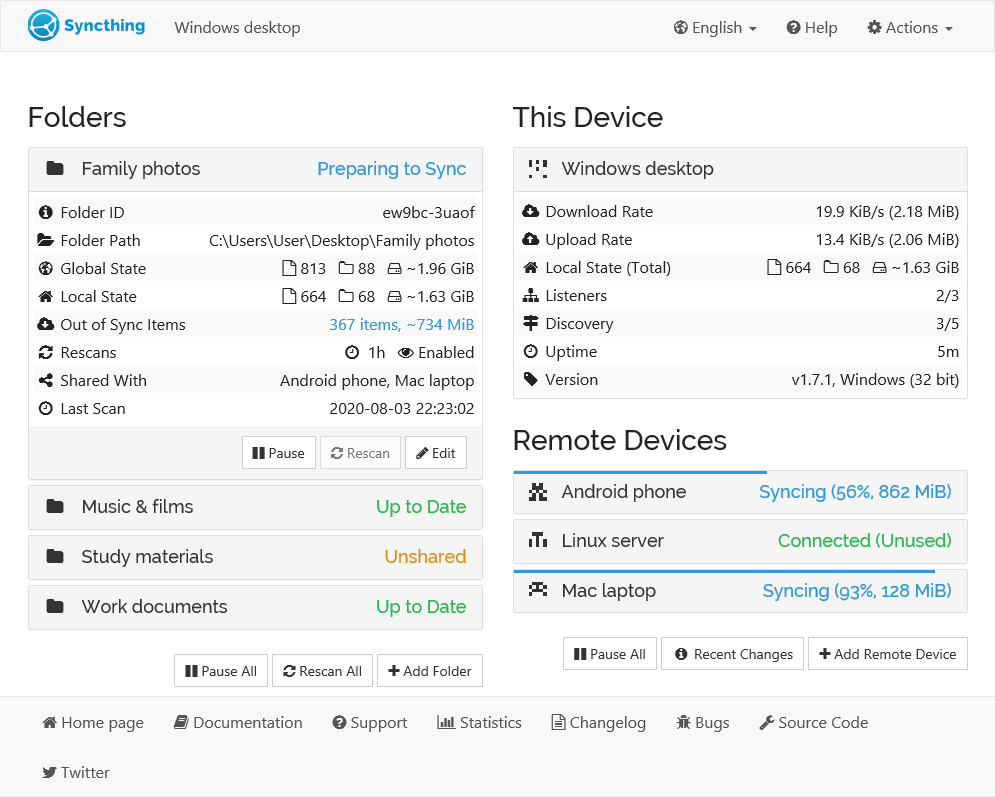
Syncthing’s GUI shows device connections and sync status clearly.
When Syncthing Beats Traditional Server-Based Options
For 2-5 devices in a household or small team, Syncthing’s zero-maintenance approach often wins.
FileCloud and Pydio Cells: Enterprise-Grade Contenders
These target businesses need granular permissions, audit logs, and compliance features.
Detailed Comparison: Nextcloud vs Seafile vs Syncthing
Feature comparison charts help visualize differences between top self-hosted options.
Feature Matrix Breakdown
- Real-time collaboration: Nextcloud (Yes), Seafile (Limited), Syncthing (No)
- Web interface: Nextcloud/Seafile (Full), Syncthing (Basic)
- Mobile apps: All three have solid options
- Encryption: All support it, but implementation varies
Performance and Resource Usage
Seafile typically uses the least RAM (~200MB), Nextcloud can hit 1GB+ with many apps, and Syncthing is the lightest on the server (none needed).
Ease of Setup and Maintenance
Syncthing wins for simplicity. Nextcloud has one-click installers that make it nearly painless.
How to Set Up Your Own Self-Hosted Cloud Storage
Ready to ditch Google Drive?
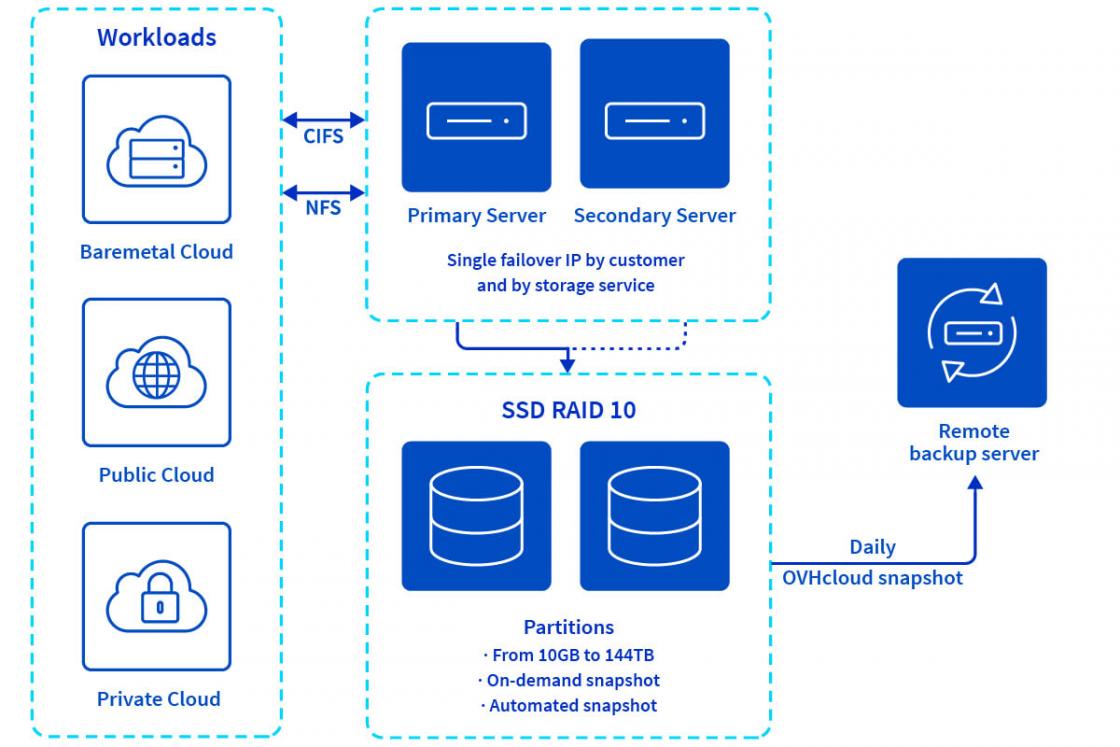
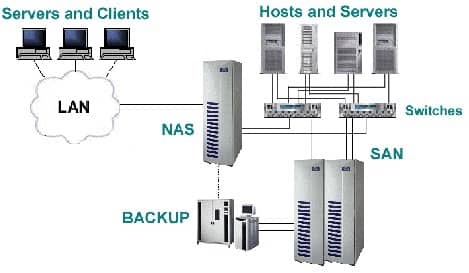
Diagrams illustrating NAS/VPS setups for self-hosted storage.
Choosing the Right Hardware or VPS
A modest VPS ($5-10/month) handles most personal use. For large libraries, consider a home NAS like Synology or TrueNAS.
Recommended VPS Providers for Self-Hosted Storage
Hetzner, Linode, and DigitalOcean offer excellent performance/price ratios. Look for high I/O and bandwidth.
Step-by-Step Nextcloud Installation Guide
- Provision a Ubuntu 22.04 server
- Install snap: sudo snap install nextcloud
- Run setup: sudo nextcloud. manual-install username password
- Configure domain and SSL (Let’s Encrypt is built-in)
Docker vs Bare Metal Installation
Docker offers portability and easier updates, but bare metal/snap can be slightly faster.
Securing Your Self-Hosted Solution
- Enable 2FA
- Use strong SSL (A+ rating via Qualys SSL Labs)
- Regular updates
- Fail2Ban for brute-force protection
- Regular backups (3-2-1 rule!)
Advanced Features and Integrations
Collaboration Tools: Office Suites and Real-Time Editing
Integrate OnlyOffice or Collabora for a Google Docs-like experience—fully self-hosted.
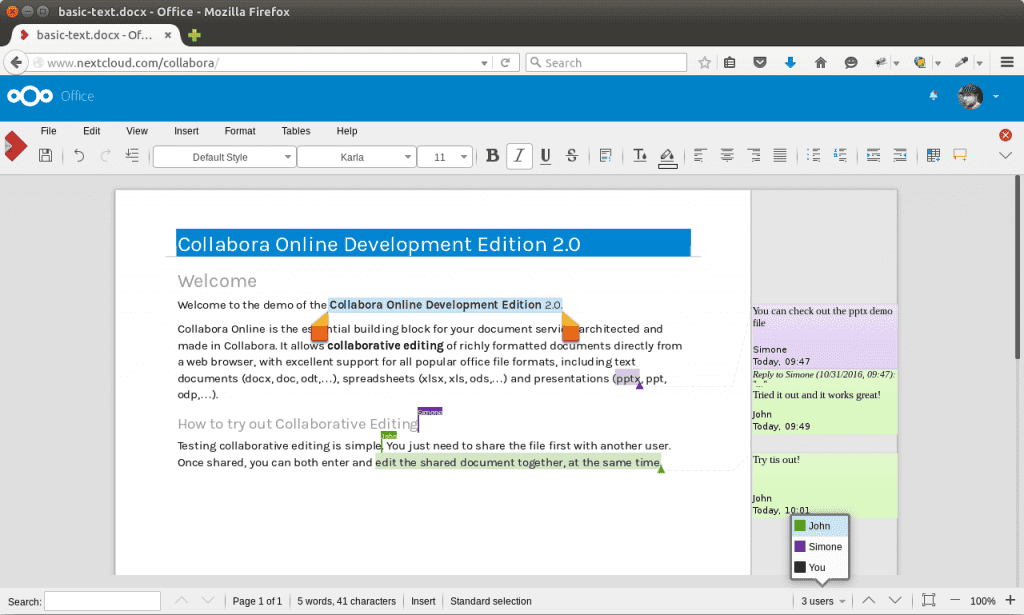
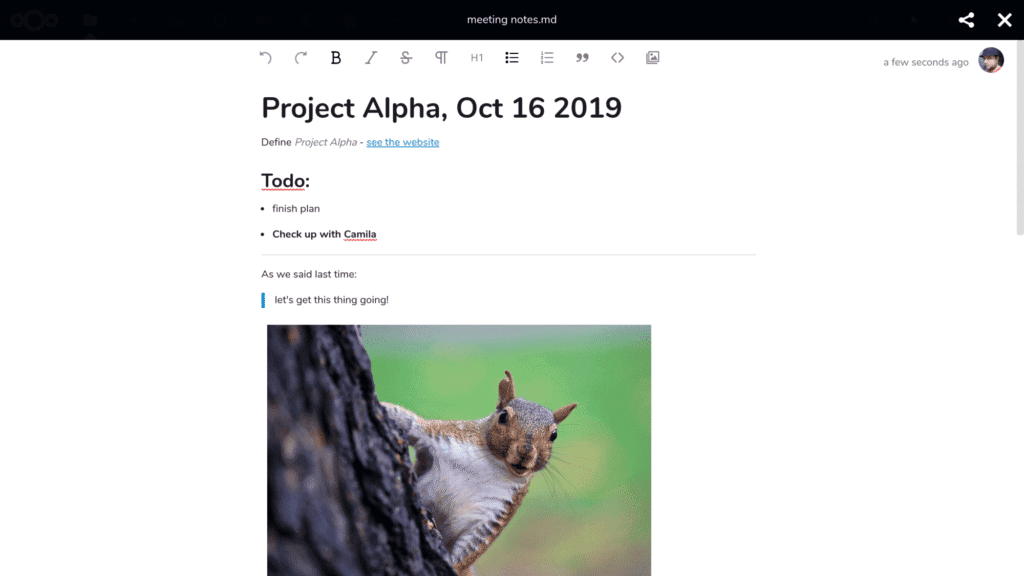
Real-time collaborative editing in Nextcloud rivals commercial suites.
Backup Strategies and Versioning
Nextcloud’s built-in versioning + external backups (e.g., to Backblaze B2) gives better recovery than Google Drive.
Extending Functionality with Apps and Plugins
Turn your storage into a complete productivity platform: deck (Trello clone), notes, passwords, music streaming—the list goes on.
Real-World Use Cases and Success Stories
Personal and Family Cloud Storage
One user replaced Google Photos with Nextcloud’s Photos app + facial recognition—saving $120/year while keeping memories private.
Small Business File Sharing
A 15-person design agency switched to Nextcloud, eliminating Dropbox costs and gaining branded client portals.
Developer and Creative Professional Workflows
Photographers love automatic RAW file sync from mobile, version history for edits, and direct integration with Lightroom.
Potential Drawbacks and How to Overcome Them
Upfront Setup Time and Technical Knowledge
Yes, it takes a weekend versus Google’s instant signup. But countless guides and community forums make it achievable for most.
Ongoing Maintenance and Updates
Modern tools like Nextcloud’s snap package handle updates with one command. Set up monitoring (UptimeRobot) for peace of mind.
Conclusion
Choosing a self-hosted alternative to Google Drive isn’t just about saving money—it’s about reclaiming control in an era where data is the new oil. Whether you pick feature-packed Nextcloud, blazing-fast Seafile, or serverless Syncthing, you’ll gain privacy, customization, and freedom from recurring fees.
The initial effort pays dividends for years. Thousands have already made the switch and never looked back.
Ready to take back your data? Start small—set up Nextcloud on a cheap VPS this weekend. Your future self (and your privacy) will thank you.
Pick your tool, follow the guides, and join the growing community of self-hosters. The cloud you truly own awaits.
Frequently Asked Questions
What is the best self-hosted alternative to Google Drive?
Nextcloud is widely considered the best overall in 2025 due to its mature ecosystem, collaboration features, and active development. It most closely replicates (and often exceeds) Google Drive’s functionality while giving you full control.
Is self-hosting cheaper than Google Drive?
Absolutely, long-term. After setup, your costs are hosting (~$5-20/month) or hardware depreciation. No per-user fees or storage tier lock-in. Many users break even within 12-18 months.
How secure are self-hosted cloud solutions?
When properly configured, they’re often more secure than public clouds. You control encryption keys, updates, and access. Combine client-side encryption, 2FA, and regular security audits for enterprise-grade protection.
Can I access my self-hosted files on mobile?
Yes. Nextcloud, Seafile, and others offer excellent iOS/Android apps with automatic photo backup, offline files, and background sync—matching or exceeding Google Drive’s mobile experience.
Do self-hosted alternatives support real-time document editing?
Nextcloud with OnlyOffice or Collabora provides full real-time collaborative editing similar to Google Docs. Multiple users can edit simultaneously with live cursors and comments.
Is Syncthing a good Google Drive replacement?
For pure file synchronization between trusted devices, yes—it’s outstanding. However, it lacks a central web interface, sharing links, or built-in office tools, making it better as a complement than a full replacement for most.
How much technical knowledge do I need?
Basic Linux command-line comfort helps, but modern installers (snap, Docker) make it accessible. Communities provide step-by-step guides for beginners. Expect to invest a few hours learning.
Can I migrate my data from Google Drive easily?
Yes. Tools like rclone support direct transfer from Google Drive to your self-hosted instance. Nextcloud has a Google Drive import app. Plan for large transfers to take days/weeks, depending on volume.
What hardware do I need for self-hosting?
A $5/month VPS handles up to ~5 users and several TB. For home use, any old PC, Raspberry Pi 4 (limited), or dedicated NAS works. Prioritize fast storage (SSD/NVMe).
Are there any legal considerations with self-hosting?
Your data, your rules. Just ensure compliance with any industry regulations (HIPAA, GDPR) if applicable—many self-hosted tools offer features to help achieve this.