Introduction
Why the Lightroom vs Photoshop debate matters
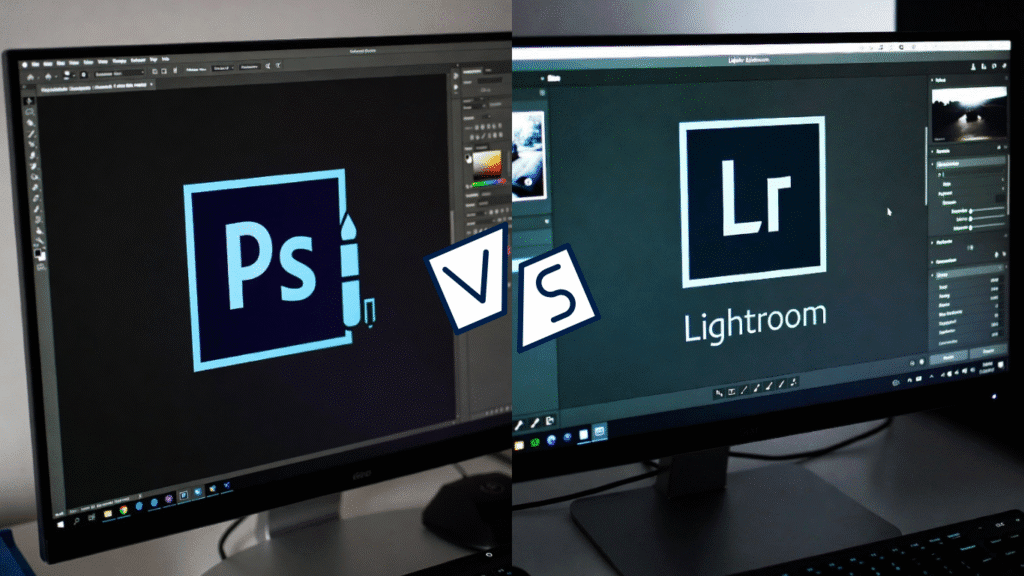
For anyone serious about photography or digital art, the choice between Adobe Lightroom and Photoshop is a pivotal one. This isn’t just a debate about software features; it’s about workflow efficiency, creative freedom, and ultimately, which tool will become the backbone of your creative process. Understanding the core purpose of each application can save you countless hours and unlock your true potential.
Understanding their roles in modern editing
In today’s fast-paced creative industry, both tools have carved out essential roles. They are not mutually exclusive but are instead complementary partners in a professional’s toolkit. Lightroom is the digital darkroom and library, while Photoshop is the artistic studio and surgical suite. Knowing when to use each is the mark of a true professional.
What Is Adobe Lightroom?
Overview of Lightroom
Adobe Lightroom is a photographer-centric application designed specifically for photo management and enhancement. It’s built on a “non-destructive” editing philosophy, meaning your original images are never permanently altered. Think of it as a powerful, all-in-one workflow engine that takes you from importing your shots to delivering the final edits.
Key features photographers rely on
Non-destructive editing
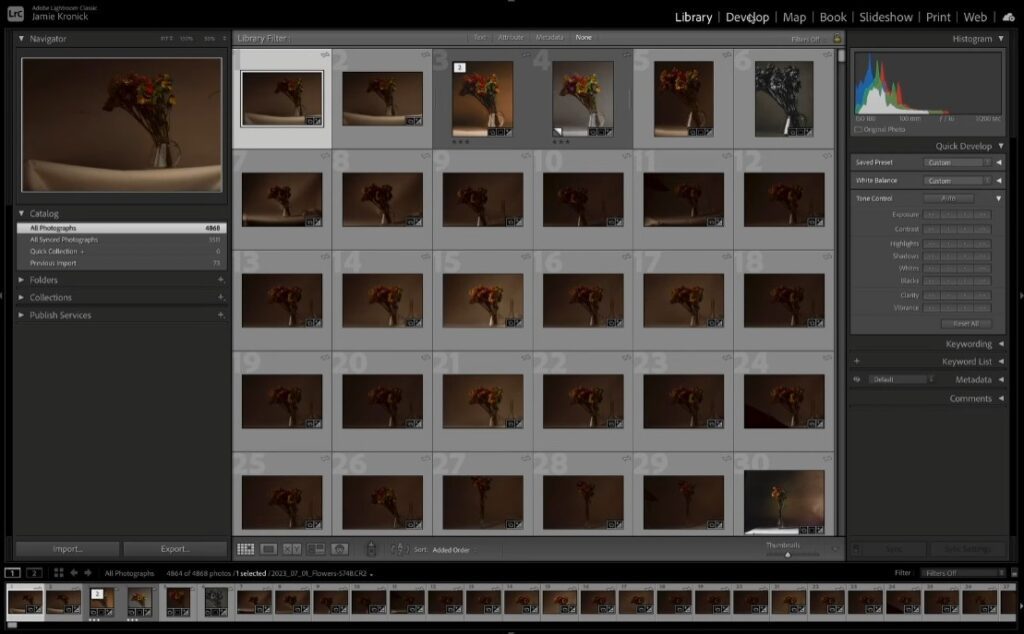
Every adjustment you make in Lightroom—from exposure shifts to spot removal—is saved as a set of instructions. Your original RAW file remains pristine, allowing you to revert to it or change your mind at any time without any loss of quality.
Presets and batch editing
This is Lightroom’s superpower for efficiency. You can apply a preset to achieve a specific look instantly. More importantly, you can sync those edits across hundreds of photos from the same shoot, ensuring consistency and saving an enormous amount of time.
Cataloging and photo organization
Lightroom’s catalog system allows you to organize thousands of images with keywords, ratings, flags, and smart collections. Finding a specific photo from a vast library becomes a matter of seconds, not hours.
What Is Adobe Photoshop?
Overview of Photoshop
Adobe Photoshop is the industry-standard powerhouse for raster image manipulation, graphic design, and digital art. Its capabilities extend far beyond photography into the realms of compositing, illustration, and design. If you can imagine it, you can probably create it in Photoshop.
Core features professionals need
Layers and masks
This is the foundational concept of Photoshop. Layers allow you to stack images, text, and adjustments on top of each other, each independently editable. Masks let you control the visibility of each layer with pixel-level precision, enabling incredibly complex composites.
Advanced retouching tools
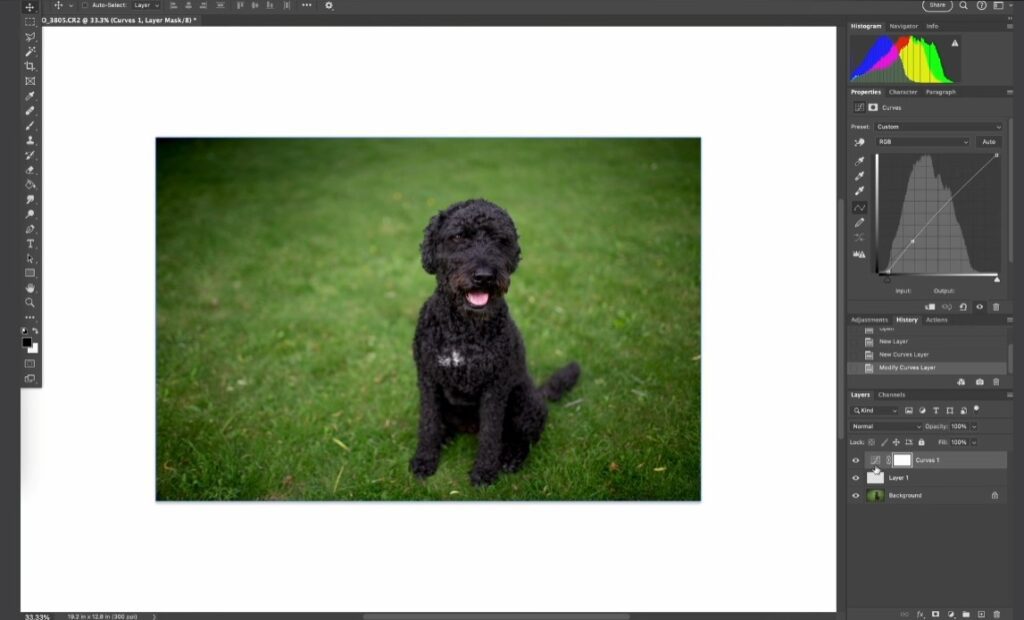
Tools like the Healing Brush, Clone Stamp, and Content-Aware Fill offer surgical control for removing distractions, cleaning up imperfections, and reconstructing areas of an image. This is essential for high-end beauty, fashion, and commercial photography.
Graphic design and composites
From creating social media graphics and website mockups to blending multiple images into a single, surreal masterpiece, Photoshop provides the tools for limitless creative expression.
Lightroom vs Photoshop: Core Differences
- Workflow differences: Lightroom offers a linear, all-in-one workflow (import, cull, edit, export). Photoshop is project-based, focusing on deep, detailed work on a single image at a time.
- Editing capabilities: Lightroom excels at global and broad local adjustments (exposure, color, gradient filters). Photoshop excels at pixel-level manipulation, compositing, and graphic creation.
- File management: Lightroom manages your entire photo library within its catalog. Photoshop requires you to manually open, save, and organize files through your computer’s folder system.
When Lightroom Is the Best Choice
Ideal scenarios for Lightroom users
Lightroom is the undisputed champion for photographers who shoot in high volume and need a fast, efficient workflow. It’s ideal for weddings, events, portraits, and landscape photography.
Why photographers love its simplicity
Fast batch processing
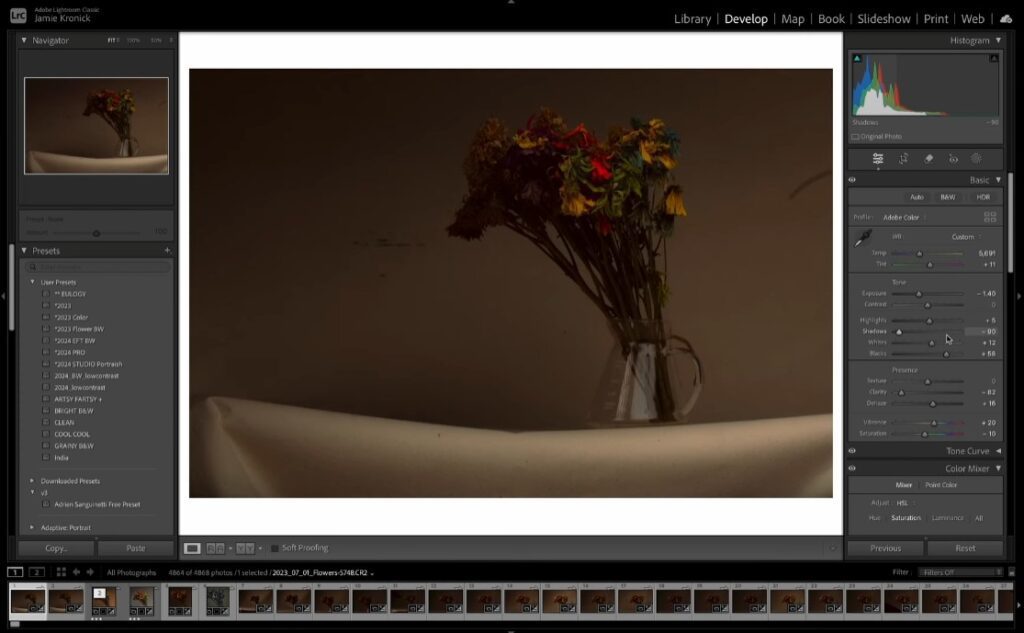
Adjust one photo and apply those settings to 500 others with a few clicks. This is simply not feasible in Photoshop.
Easy color grading
Lightroom’s Color Mixer and Calibration panels are tailored for photographers, making complex color grading intuitive and straightforward.
When Photoshop Is the Best Choice
Perfect for high-end retouching
When you need to remove a complex object, smooth skin while retaining texture, or meticulously dodge and burn, Photoshop is the only tool for the job.
Creating advanced composites
Blending multiple exposures for a perfect real estate shot, replacing a dull sky with a dramatic one, or creating a fantasy scene from several images—all of this requires the layer and masking power of Photoshop.
Graphic design and pixel-level edits
Adding text, creating marketing materials, or designing a website banner are all core Photoshop tasks.
Lightroom vs Photoshop: Which Tool Professionals Can’t Live Without?
Industry insights
In professional circles, the question is rarely “Which one do you use?” but rather “How do you use both?”
Real-world usage among pros
Most professional photographers start their workflow in Lightroom. They use it to import, cull, organize, and perform 90% of their basic adjustments. For images that need extra attention, they right-click and “Edit in Photoshop.” After performing the detailed retouching or compositing, the image is saved back into Lightroom for final cataloging and export.
Combining Lightroom and Photoshop
This hybrid workflow is the secret. Lightroom acts as the central hub, while Photoshop serves as a specialized plugin for the heavy lifting. This combination offers the best of both worlds: the efficiency of Lightroom and the limitless power of Photoshop.
Lightroom vs Photoshop: Pros and Cons at a Glance
| Feature | Adobe Lightroom | Adobe Photoshop |
|---|---|---|
| Primary Purpose | Photo management and enhancement | Image manipulation, compositing, and graphic design |
| Workflow | Linear, efficient, and batch-oriented | Project-based, detailed, and layer-oriented |
| Editing Style | Non-destructive | Primarily destructive (unless using Smart Objects) |
| Learning Curve | Gentler and easier for photographers | Steep and complex |
| File Management | Excellent. Integrated catalog system for organizing thousands of images. | Poor. Requires manual file organization via folders. |
| Batch Processing | Excellent. Apply edits to hundreds of photos simultaneously. | Poor. Not designed for batch work; very time-consuming. |
| Color & Tone Adjustments | Superior. Streamlined, intuitive tools for global and local adjustments. | Powerful, but more scattered across different menus and adjustment layers. |
| Retouching | Basic spot removal and local brushes. | Unmatched. Advanced tools like Healing Brush, Content-Aware Fill, and cloning. |
| Compositing | Very limited. | Industry Standard. Powerful layer and masking system for complex composites. |
| Graphic Design | Cannot add text or vector graphics effectively. | Excellent. Full suite of typography and shape tools. |
| Performance | Digital artists, graphic designers, retouchers, and commercial photographers. | Can be resource-intensive with complex, multi-layered files. |
| Ideal For | Photographers, high-volume shooters (weddings, events, portraits). | Digital artists, graphic designers, retouchers, commercial photographers. |
Lightroom vs Photoshop: Pricing Breakdown
Subscription plans
Adobe primarily sells them together in the Creative Cloud Photography plan (approximately $19.99/month), which includes both Lightroom and Photoshop. This makes the individual cost almost negligible and is the best value for any creative.
Which tool offers better value?
For a photographer, the bundled plan offers the best value. If forced to choose only one, a pure photographer might get more daily value from Lightroom, while a digital artist or graphic designer would find Photoshop indispensable.
Lightroom vs Photoshop for Beginners
Ease of learning
Lightroom is significantly easier for beginners to grasp. Its interface is tailored for photographic adjustments, and the non-destructive nature is forgiving.
Recommended tool for newbies
For a beginner in photography, start with Lightroom. It will teach you the fundamentals of exposure, color, and composition without overwhelming you. Once you’ve mastered it and feel limited, then dive into the deep end with Photoshop.
Lightroom vs Photoshop for Professionals
What pros are used for various tasks
- Culling & Organization: Lightroom
- Color Correction & Global Adjustments: Lightroom
- Detailed Retouching: Photoshop
- Compositing: Photoshop
- Graphic Design: Photoshop
Why do many rely on both tools
Relying on only one is like a carpenter using only a hammer. You can build something, but you’ll be inefficient and limited. Professionals use the right tool for the right job, and for modern image creation, that almost always means using both.
Final Verdict: Which One Should You Choose?
The choice depends entirely on your primary work:
- Choose Lightroom if you are a photographer who needs to manage and edit large volumes of photos efficiently.
- Choose Photoshop if you are a digital artist, graphic designer, or photographer who specializes in heavy retouching and compositing.
- Choose the Adobe Bundle (recommended) if you are serious about your craft. The combination is greater than the sum of its parts and is the true “tool professionals can’t live without.”
Conclusion
The debate between Lightroom and Photoshop is ultimately a false dichotomy. They are two halves of a perfect whole. Lightroom is the indispensable foundation for a photographer’s workflow, while Photoshop is the indispensable tool for creative execution and problem-solving. The most successful professionals are not loyal to one application; they are fluent in both, leveraging the unique strengths of each to produce exceptional work efficiently. Your goal shouldn’t be to pick a winner, but to master the powerful synergy between them.
FAQs
Is Lightroom better than Photoshop for beginners?
Yes, for beginners focused on photography, Lightroom is better. Its learning curve is gentler, and it directly teaches core photographic principles without the complexity of layers and advanced masking.
Can I use Lightroom without Photoshop?
Absolutely. Many photographers use only Lightroom and produce stunning work. It handles 80-90% of typical photographic editing needs. You only need Photoshop when you require pixel-level edits, advanced retouching, or compositing.
Which software is faster for editing?
For editing a single image with basic adjustments, they can be similar. For editing a batch of images, Lightroom is dramatically faster due to its sync and preset capabilities.
Do professionals use both Lightroom and Photoshop?
Overwhelmingly, yes. The standard professional workflow involves starting in Lightroom for organization and global adjustments, then jumping to Photoshop for specific images that require detailed retouching or compositing, before saving back to Lightroom for final export.
Is Lightroom good for heavy retouching?
No, this is its primary limitation. While Lightroom has basic spot removal and local adjustment brushes, it lacks the precision tools (like the Healing Brush, Clone Stamp, and layers) required for heavy retouching. For that, you need Photoshop.